

Guide · Importing
Opening ZBrush files in RZ-7 Jackal
Importing .ztl and .zpr files as subtools, what comes across with them and what stays behind.

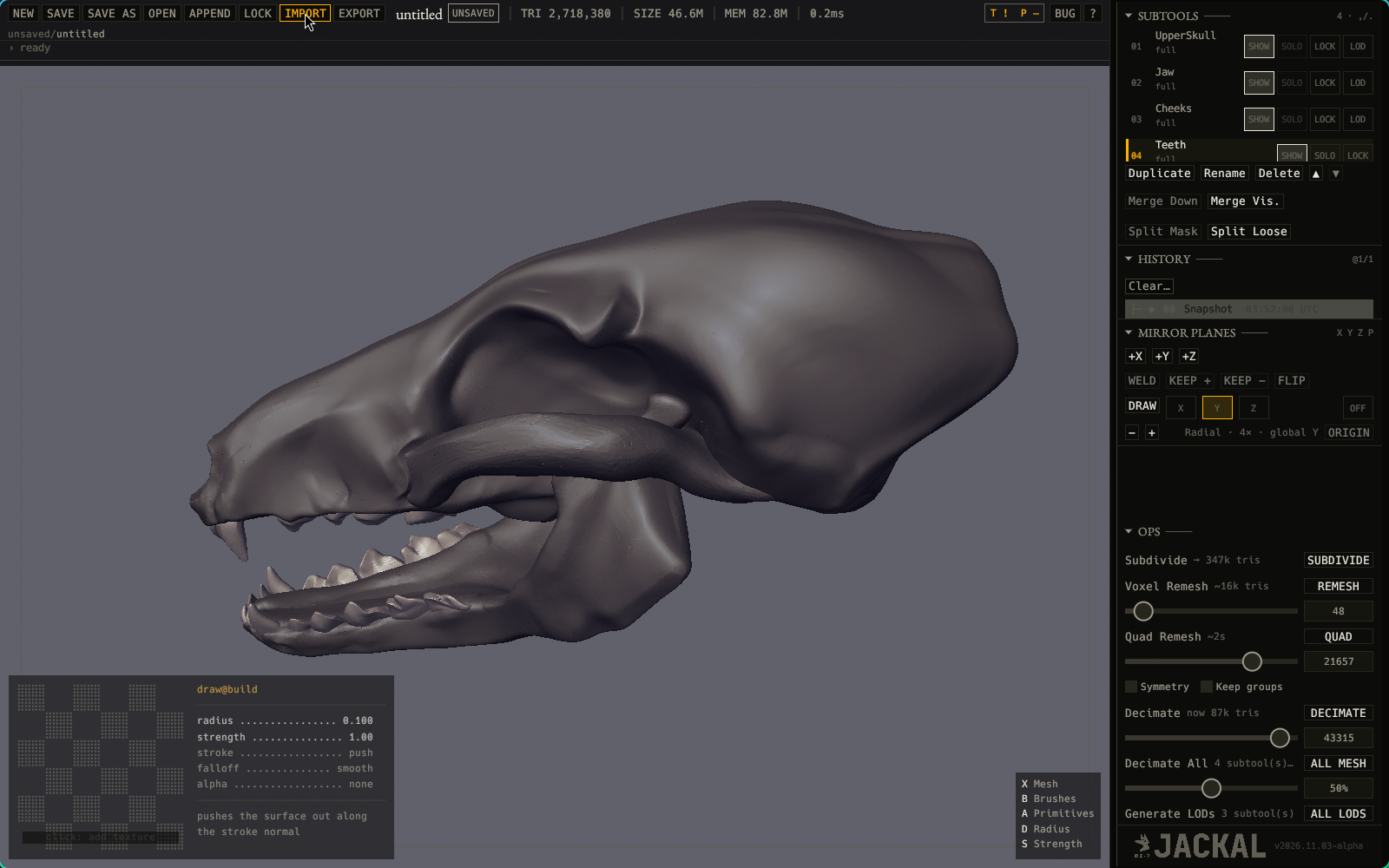
RZ-7 Jackal opens ZBrush .ztl tools and .zpr projects directly. You do not need ZBrush installed, and you do not need to export to OBJ first. Each ZBrush subtool becomes one Jackal subtool.
Import a file
- Open the File menu in the top bar and choose Import.
- Pick a
.ztlor.zprfile. The file dialog has a ZBrush filter if the folder is crowded. - Each subtool in the file is added to the scene in file order.
The same dialog takes OBJ, STL, glTF, USD and FBX, one subtool per mesh.
What comes across
- Geometry at the stored subdivision level. ZBrush stores the base cage plus the vertex positions of the highest level. Jackal replays the subdivision in ZBrush’s own order so the faces match those positions. You get the mesh you were sculpting, not the cage.
- Masks. A masked area in ZBrush is masked in Jackal.
- Polygroups. Group IDs are renumbered from 1 upward, so the colours change but the groups do not.
- Subtools. One per ZBrush subtool, named in file order.
Quads are split into two triangles each. Jackal works on triangles only; the journal entry Triangles and hard normals explains why.
What stays behind
Jackal’s mesh holds positions, normals, faces, mask and polygroups. Anything in the ZBrush file that does not fit one of those is skipped:
- UVs
- Polypaint
- Creases
- Sculpt layers and morph targets
- Curves, ZSpheres and FiberMesh
- Embedded images and document settings
If you need those later, keep the original ZBrush file. Import is one way: Jackal does not write .ztl.
Polygroup edges
ZBrush assigns polygroups per face. Jackal stores them per vertex. A vertex on the border between two groups takes one group or the other, so group borders can shift by one row of vertices. Inside a group nothing changes.
If a file will not open
- “No subtool with faces found.” The file holds only ZSpheres or curves, with no polygon subtools. Convert them to a mesh in ZBrush first.
- A subtool imports at lower resolution than expected. If Jackal cannot match the stored subdivision level, it falls back to the base cage for that subtool rather than failing the whole file. Send the file with your report and we will look at it.
Every import is checked against untrusted input: a damaged or truncated file is refused with an error, never half-loaded.